> For the complete documentation index, see [llms.txt](https://docs.reportpundit.com/llms.txt). Markdown versions of documentation pages are available by appending `.md` to page URLs; this page is available as [Markdown](https://docs.reportpundit.com/knowledge-base/report-creation/filters/contains-and-not-contains.md).
# 'Contains' & 'Not contains'
### How does the 'Contains' & 'Not contains' filter work?
{% tabs %}
{% tab title="Contains" %}
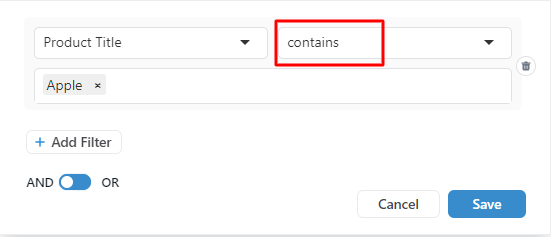
The **'Contains'** filter is used when you want to view specific fields with particular words.
***For example***, consider a store that has a **wide range of products**, including Sony headphones, Bose headphones, Sony TV, Apple charger, Apple iPhone 5, Apple iPhone 6, Apple iPhone 7, Apple Mac computer, Apple AirPods, Apple mouse, SanDisk music player, SanDisk Pen drive, Seagate hard disk, HP laptop, and many others.
Now, if you want to filter products that **contain** the word '**apple**', you can use the '**Contains**' **filter**.
When you apply the '**Contains**' filter for the word '**Apple**', the report will **ONLY** show **Apple products** because all the Apple products have the word '**Apple**' in their name, including Apple iPhone 5, Apple iPhone 6, Apple iPhone 7, Apple Mac computer, Apple AirPods, and Apple mouse.
{% endtab %}
{% tab title="Not contains" %}
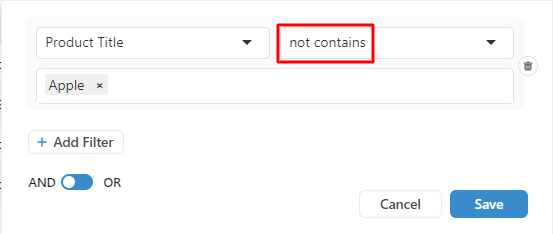
The **'Not contains'** filter is used when you want to eliminate specific fields with a specific phrase.
***For example,*** when you **apply** the '**Not contains**' **filter** for the word '**apple**', the report will **ONLY** show **Non-Apple products**, such as Sony headphones, Bose headphones, Sony TV, SanDisk music player, SanDisk Pen drive, Seagate hard disk, and HP laptop.
{% endtab %}
{% endtabs %}
**Note:** You can add multiple filter values with the '**Contains**' and '**Not contains**' filter conditions.
*Watch this 102 seconds explanatory video to understand better:*
{% embed url="" %}